
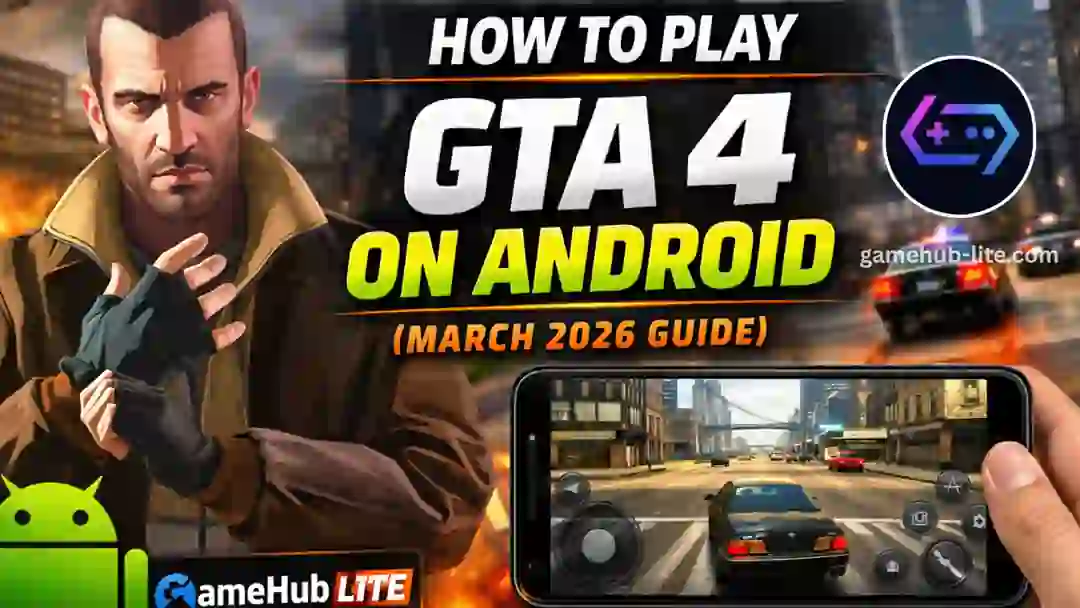
Playing Grand Theft Auto IV (GTA 4) on an Android phone once felt impossible. But now, in 2026, it is fully possible using GameHub Lite. This lightweight emulator allows you to run PC games directly on your phone.
In this guide, you will learn how to install, set up, and play GTA 4 step by step.
What Is GameHub Lite
GameHub Lite is a lightweight Android emulator. It allows users to run Windows PC games on mobile devices. The app is small in size and works offline. It does not require login or extra permissions.
It is designed for performance. That is why many gamers prefer it for low-end and mid-range devices.
What Is GTA 4
GTA 4 is an open-world action game released by Rockstar Games. You play as Niko Bellic, a character exploring Liberty City.
The game includes:
- Story missions
- Open-world driving
- Combat and exploration
It is still one of the most popular GTA titles today.
Can You Play GTA 4 on Android
Yes, you can play GTA 4 using GameHub Lite. The emulator runs the full PC version of the game.
Performance depends on your device:
- High-end phones → 40–60 FPS
- Mid-range phones → 25–40 FPS
With the right settings, the game runs smoothly.
Also Read > Top 20 PC Games for GameHub Lite
System Requirements
Before starting, check your device.
You need:
- Android 12 or higher
- Snapdragon 870 or better processor
- 6GB RAM minimum (8GB recommended)
- 20GB free storage
You must also own a legal copy of GTA 4.
Step-by-Step Installation Guide
Follow these steps carefully.
Step 1 – Download and Install GameHub Lite
- Visit the official site
- Download the latest APK version
- Enable Install Unknown Apps in settings
- Install the APK file
- Open the app
The app will install required drivers automatically.
Step 2 – Transfer GTA 4 Files
You need the full game folder.
- Copy GTA 4 folder from your PC
- Move it to your phone
- Place it in:
Internal Storage → Games → GTA4
Do not use installer files. Only use the full installed game.
Step 3 – Import Game in GameHub Lite
- Open GameHub Lite
- Go to My section
- Tap Import PC Games
- Select GTAIV.exe
The app will scan files and install configurations. This may take 10–20 minutes.
Do not close the app during this process.
Also Read > GTA V on GameHub Lite (2026) – How to Play GTA 5 on Android
Best Settings for Smooth Gameplay
Using correct settings is very important.
GameHub Lite Settings
- Resolution → 960×544
- Low-end → 800×600
- GPU Driver → Turnip (Snapdragon devices)
- Compatibility → Proton latest
- Translation → Extreme
In-Game Settings
- Texture Quality → Medium
- Shadow Quality → Low
- Draw Distance → 50%
- VSync → Off
These settings improve FPS and reduce lag.
Controls and Controller Support
You can play using touch controls. But a controller gives a better experience.
GameHub Lite supports:
- Xbox controllers
- PlayStation controllers
- Bluetooth controllers
You can also remap buttons inside the app.
Common Problems and Fixes
Some users face issues. Most problems are easy to fix.
- Game crash → Re-import game or reinstall drivers
- Black screen → Change GPU driver
- Lag issue → Lower resolution
- No sound → Check audio settings
- Game not saving → Use correct game version
Many users also report that using the correct GTAIV.exe file improves performance.
Also Read > How to Play Steam Games on Android with GameHub Lite
Performance Tips
Getting smooth gameplay in GTA 4 on Android depends on your device and settings. Small changes can make a big difference. Follow these tips to improve FPS and reduce lag.
For Low-End Devices
- Use 800×600 resolution
- Set graphics to Low
- Close background apps
- Enable Game Mode
Expected performance → 25–40 FPS
For High-End Devices
- Use 1280×720 resolution
- Medium to High graphics
- Enable multi-threading
- Use latest drivers
Expected performance → 50–60 FPS
Keeping your phone cool also helps performance.
Is It Safe and Legal
Many users ask if using GameHub Lite to play GTA 4 on Android is safe and legal. The answer is simple, but you must understand a few important rules.
Safety
Download GameHub Lite only from its official website. Avoid fake APK files.
Legality
You must own the original GTA 4 game. Emulation is legal, but piracy is not.
FAQs
Can every Android phone run GTA 4?
Not really. You need at least a Snapdragon 870 or equivalent with 8GB RAM for good performance.
Where can I safely download GameHub Lite for GTA 4?
Only from the official website gamehub-lite.com — that’s the safest place.
How do I stop GTA 4 from lagging on Android?
Lower resolution, use Turnip driver, and follow the performance tips above.
Does GameHub Lite support controllers for GTA 4?
Yes! Xbox, PS4, PS5, and most Bluetooth controllers work perfectly.
Is using an Android emulator for GTA 4 legal?
Yes — as long as you own the original PC game legally.
Final Words
Playing GTA 4 on Android is now possible and smooth with GameHub Lite. With proper setup and settings, you can enjoy a full PC gaming experience on your phone.
Start with basic settings. Then adjust based on your device performance.
Liberty City is now in your pocket. Enjoy the game anytime, anywhere.